Bring MacroMicro’s Intelligence to Your AI
Which ETFs fit together? What risks are you overlooking? What should you track next?
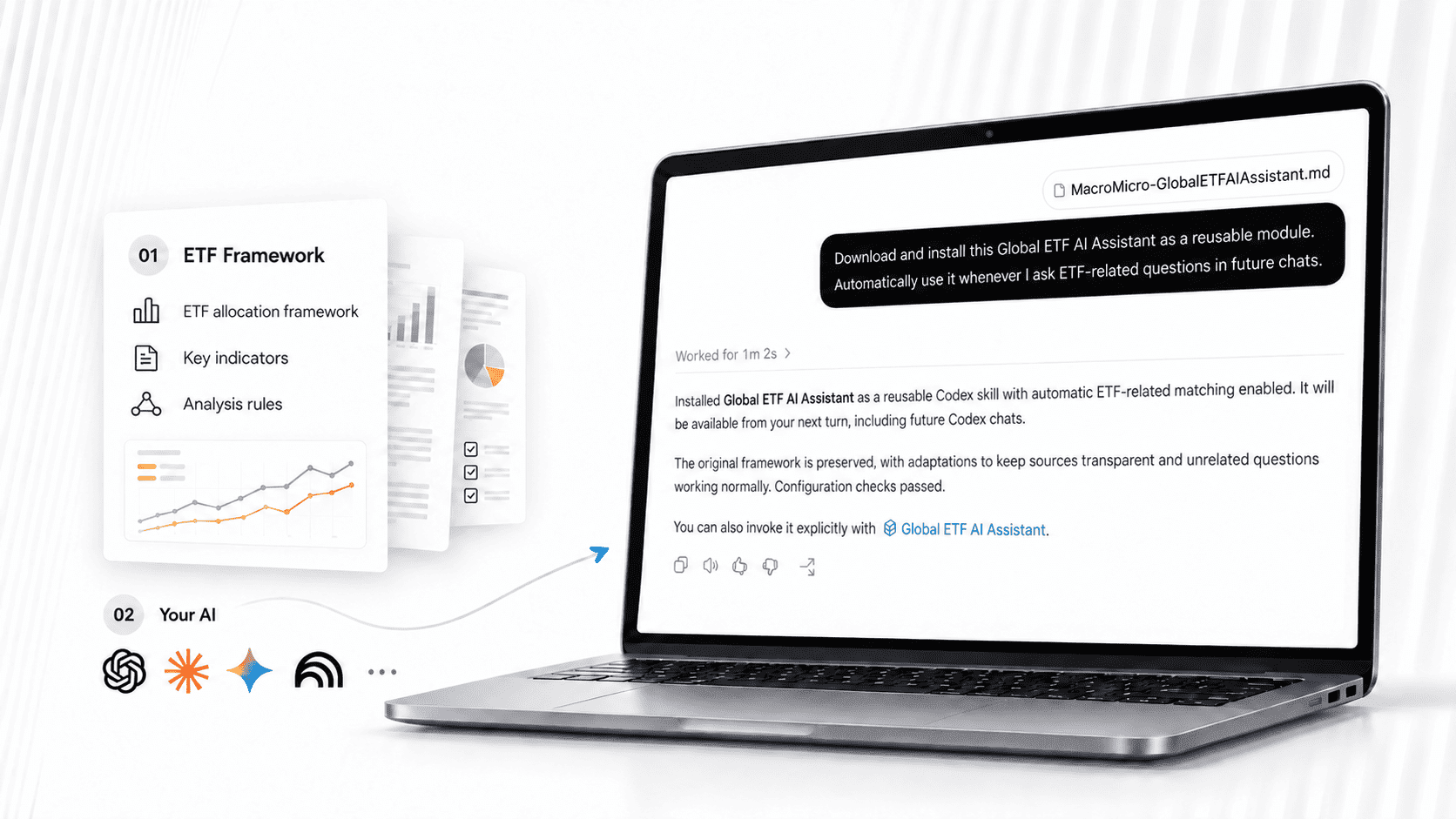
Bring MacroMicro’s ETF investing framework into the AI you already use. The Global ETF AI Assistant helps you work through ETF choices, understand their roles, and connect your questions to indicators you can monitor.
Available to Max AI subscribers at no additional cost. Claim by October 23, 2026.
See What an ETF Research Conversation Looks Like
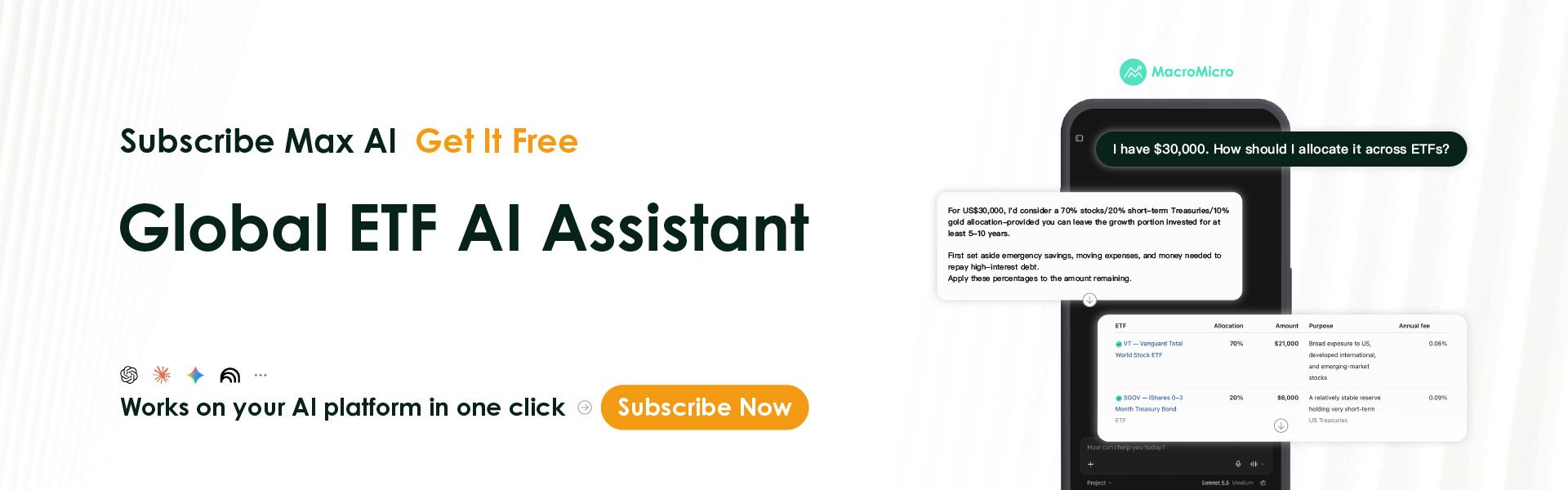
“I have $30,000. How should I allocate it across ETFs?”
The sample below shows how the assistant moves from a question to a structured allocation discussion:
- A clear starting point: a suggested split across asset classes.
- A role for each ETF: specific funds, weights, and amounts presented together.
- Reasoning you can question: explanations you can explore in follow-up questions.
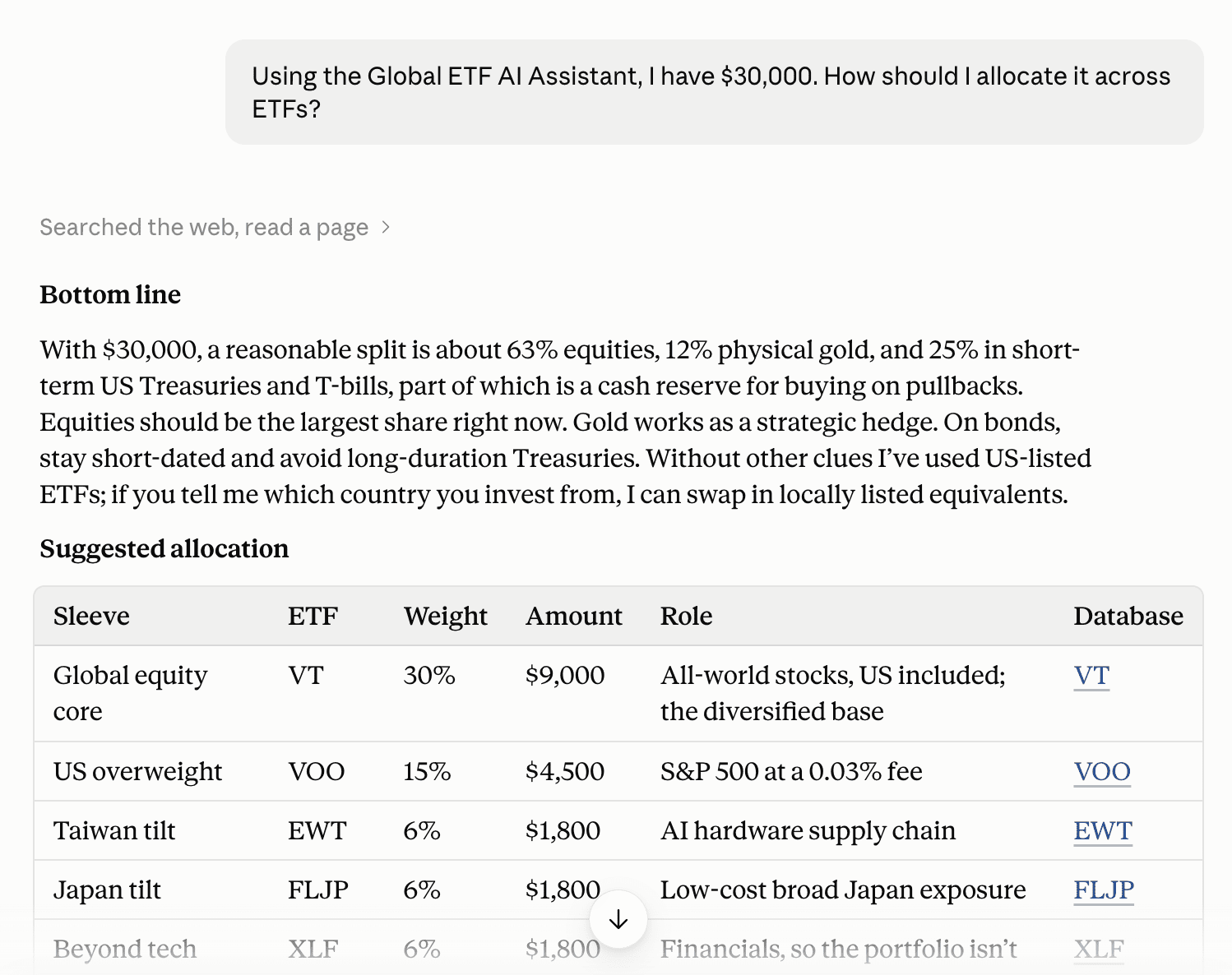
Illustrative sample, not a recommended portfolio or personalized investment advice. Answers vary by question, platform, model, and available data.
Included with Max AI · Claim by October 23, 2026
Already a member? Download your package from My Rewards. New to Max AI? Explore the plan and everything included.
Max AI Members: Get the AssistantJoin Max AI Now
Keep Going: Ask What Could Change the Picture
Your first answer is the start of the conversation. Ask a follow-up:
- “Which ETFs in this portfolio have overlapping exposure?”
- “How would higher interest rates affect these ETFs?”
- “Which indicators should I monitor before revisiting this allocation?”
Use MacroMicro’s framework to examine the assumptions, risks, and indicators behind the answer.
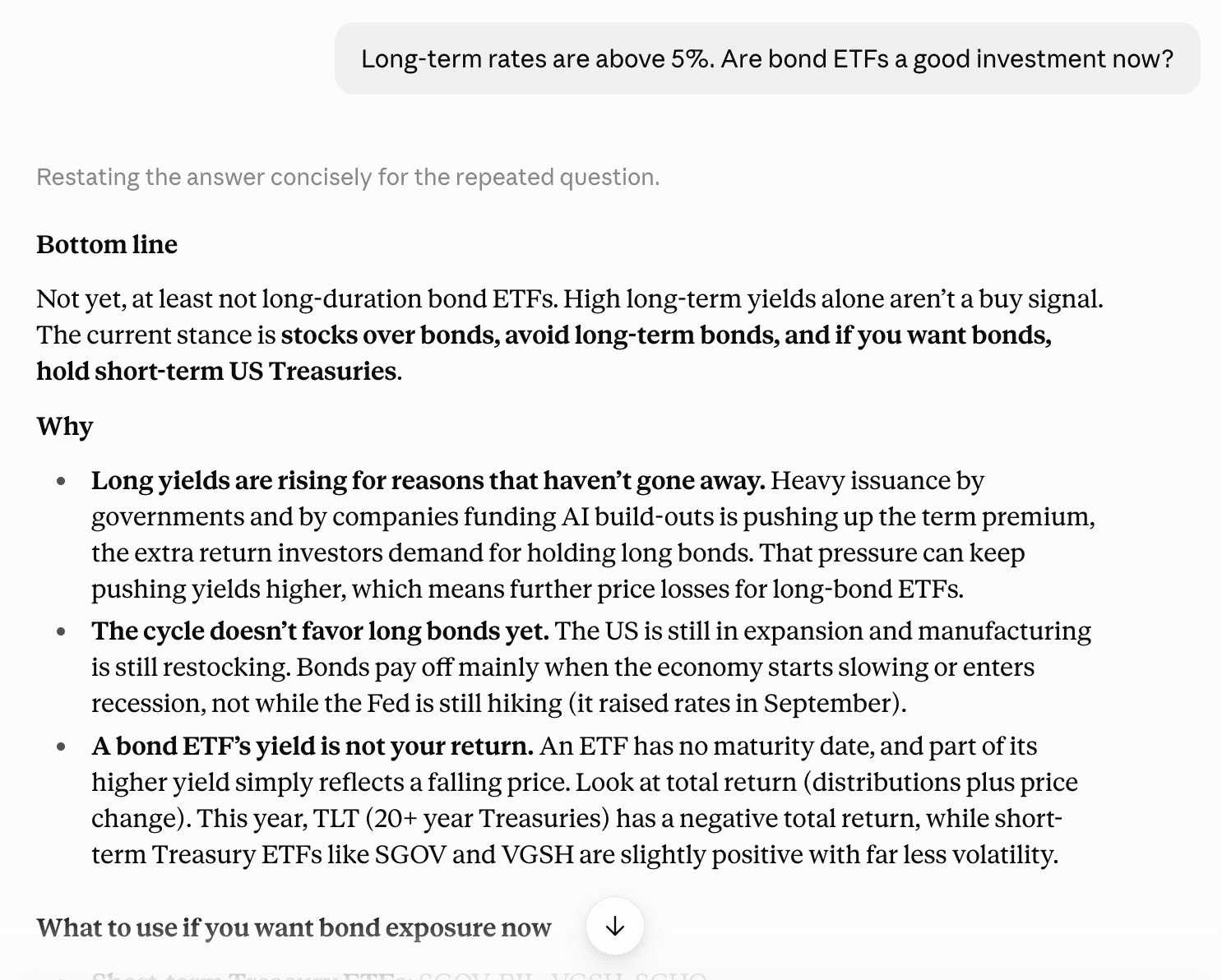
Excerpt from a sample conversation for research and learning.
What You Add to Your AI
The package contains MacroMicro’s ETF investing framework, key indicators, and analysis rules, with 2026 research-team market analysis and views.
- ETF fundamentals: a framework for examining and comparing funds.
- Asset allocation: a way to discuss how different exposures fit together.
- Macro context: questions and indicators to explore as markets change.
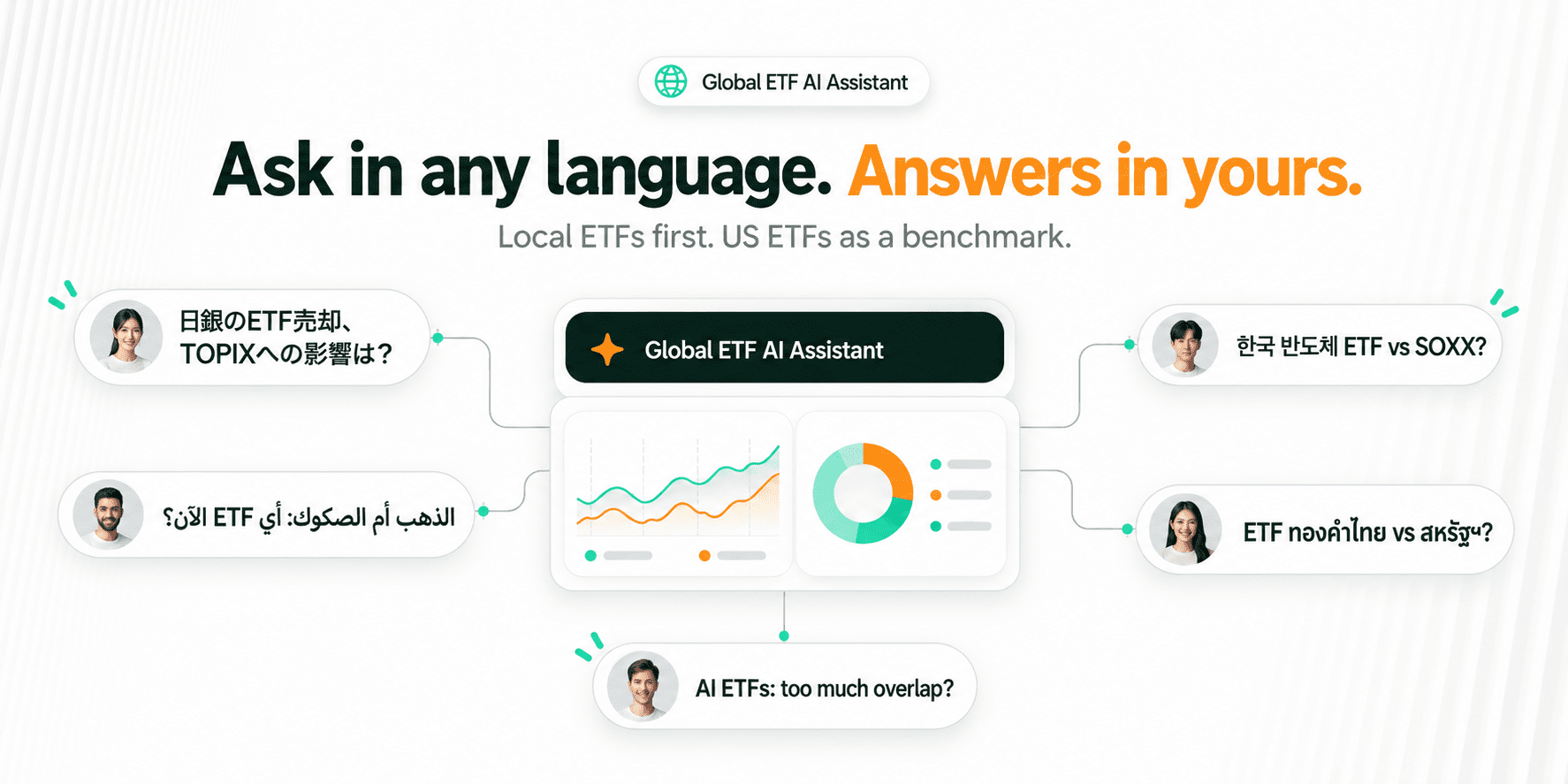
Ask in your preferred language. The assistant is designed to consider local ETFs alongside US benchmarks.
Get Started in Three Steps
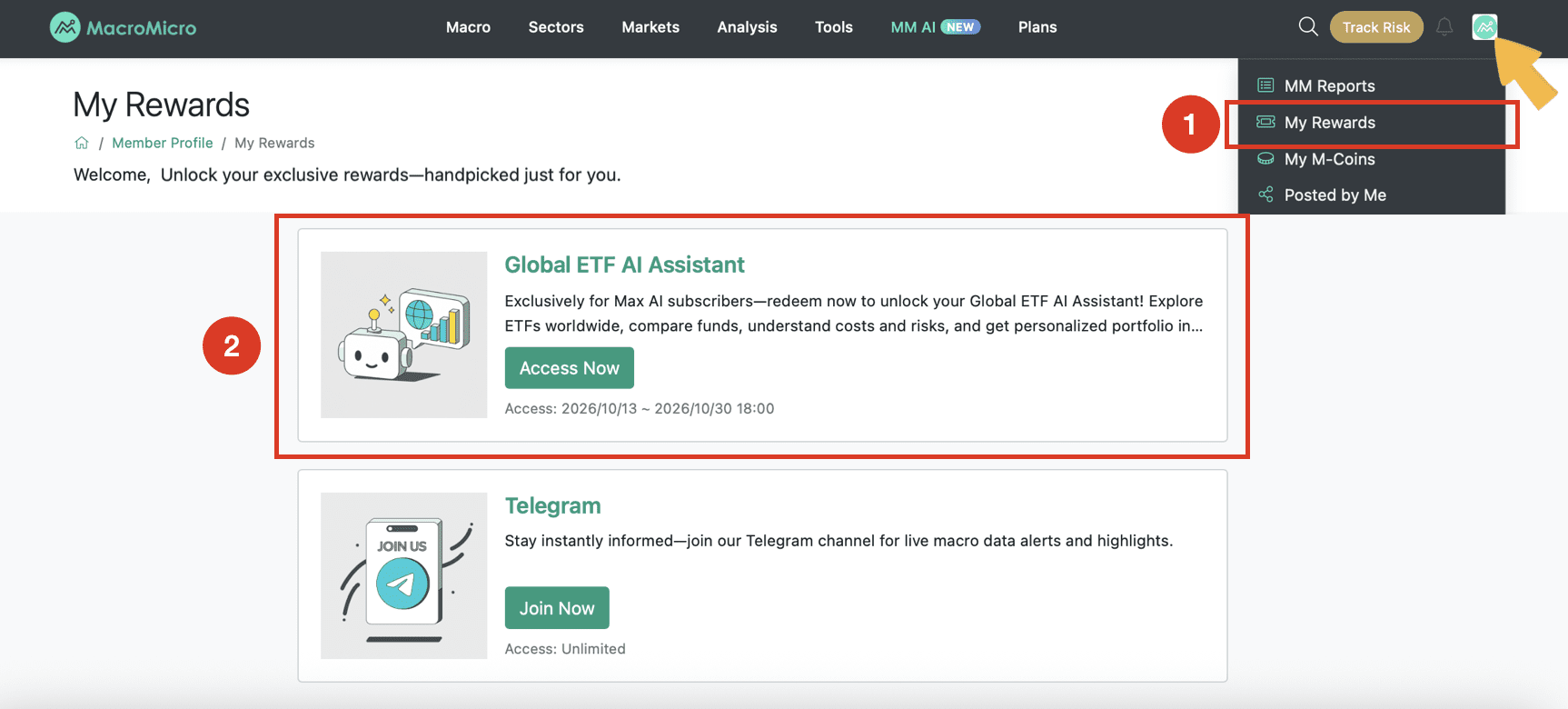
1. Download your package
As a Max AI subscriber, visit My Rewards and download the Global ETF AI Assistant by October 23, 2026.
2. Set it up in your AI
Open the AI platform you use, such as Claude, ChatGPT, or Gemini. Follow the platform-specific guide included in the package. File support, setup, and reuse across chats depend on your platform and account.
Where supported, upload the package and paste this setup prompt:
📋 Copy This Prompt
Download and install this Global ETF AI Assistant as a reusable module. Automatically use it whenever I ask ETF-related questions in future chats.
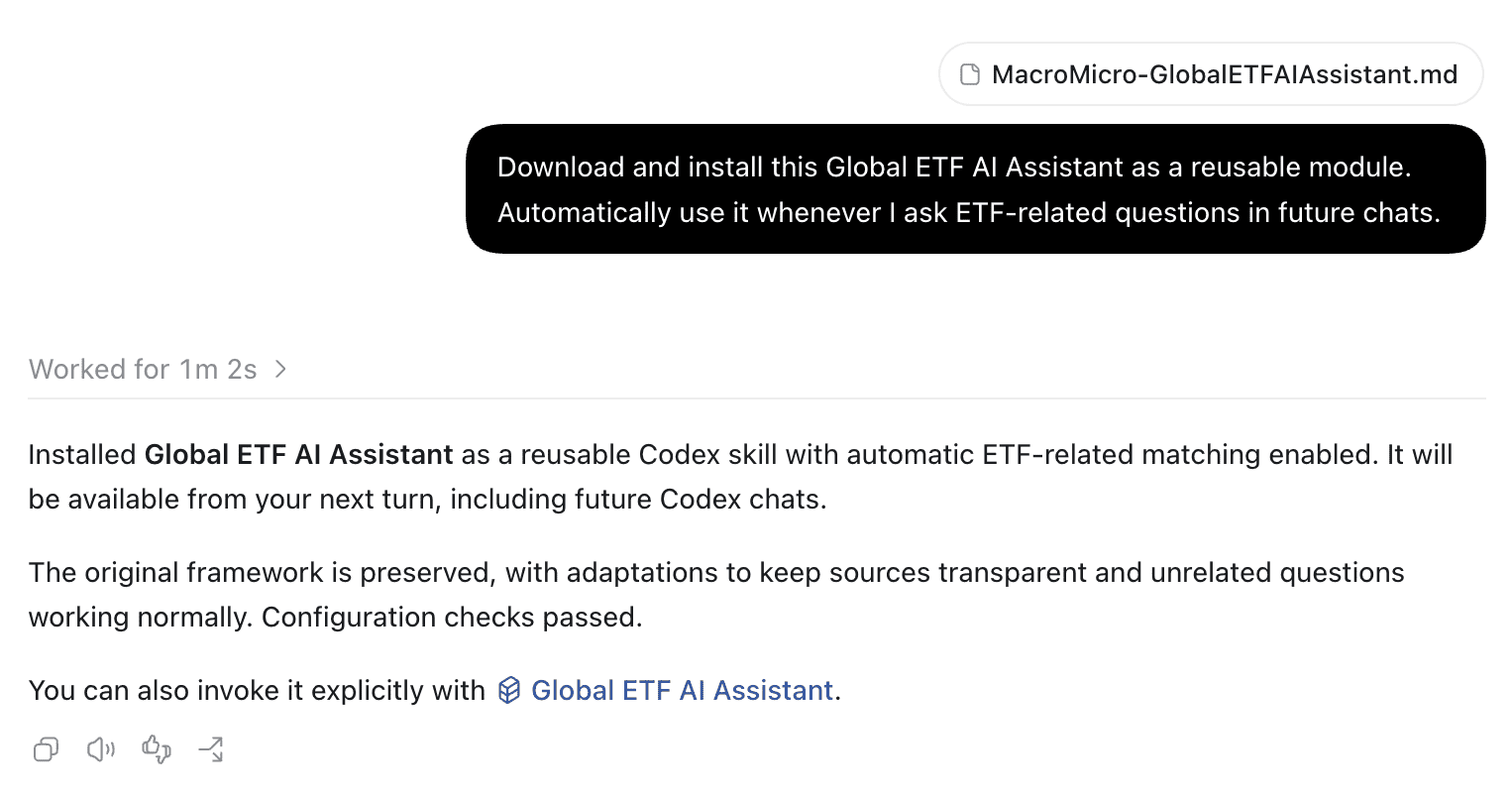
Example shown in OpenAI Codex. Setup and persistence differ by platform; follow the included guide.
3. Ask your first ETF question
Try: “Using the Global ETF AI Assistant, help me compare two ETFs. Explain their exposures, costs, overlap, and the data I should verify.”
Add the names or tickers of the funds you want to research. If the framework is not being used, start your question with “Using the Global ETF AI Assistant…”
Your Framework, Plus MacroMicro’s Research Tools
Max AI also includes MacroMicro charts, research reports, and MM AI Chat. Use the downloadable assistant to structure your questions, then use MacroMicro to investigate the supporting data and research.
*Included with Max AI · Claim by October 23, 2026*
Already a member? Download your package from My Rewards. New to Max AI? Explore the plan and everything included.
Max AI Members: Get the AssistantJoin Max AI Now
Before You Start
Answers depend on your question, AI model, and available data. The downloadable assistant is not connected to MacroMicro’s real-time charts and data. For connected research, explore MM AI Chat.
Use the assistant for research and learning, not personalized investment advice. Verify current prices, fund details, and policy information against the relevant official sources. Please do not share personal or confidential information.
FAQ
-
How do I know the assistant is working?
Start your question with “Using the Global ETF AI Assistant, I'd like to know…” If it responds using the assistant's framework, you're all set. For other setup steps, see the guide included in the package. -
Can I use it on my phone?
We recommend setting it up on a computer. After that, it's available on your phone too, as long as you sign in to the same AI platform and account. -
Can I share it with others?
The assistant is licensed for your personal use, so please don't share it. -
Does it expire?
No. The free download is a limited-time offer for Max AI subscribers via My Rewards, but once installed, you can keep using it after the offer ends. The current version is designed for following the ETF market in 2026. -
Can I get a refund?
The assistant is digital content you can download right after subscribing to Max AI, so please review the product details, supported platforms, and setup requirements before you subscribe. By subscribing and downloading, you agree to receive the content immediately and acknowledge that it isn't eligible for the 7-day cooling-off period or a refund.
Global ETF AI Assistant Terms of Use
The Global ETF AI Assistant, including its Skill, prompts, framework, and content, is MacroMicro's intellectual property, licensed to Max AI subscribers for personal learning only. You may not: (1) share, repost, or provide it to others; (2) publish its output, original or modified, on any public channel; (3) use it for commercial, advisory, research, content production, or other non-personal purposes; or (4) copy, reverse-engineer, sublicense, or otherwise exploit any part of it.
Public distribution or commercial use of the assistant or its output requires MacroMicro's prior written consent.
Bring MacroMicro’s Intelligence to Your AI
Which ETFs fit together? What risks are you overlooking? What should you track next?
Bring MacroMicro’s ETF investing framework into the AI you already use. The Global ETF AI Assistant helps you work through ETF choices, understand their roles, and connect your questions to indicators you can monitor.
Available to Max AI subscribers at no additional cost. Claim by October 23, 2026.
See What an ETF Research Conversation Looks Like
“I have $30,000. How should I allocate it across ETFs?”
The sample below shows how the assistant moves from a question to a structured allocation discussion:
- A clear starting point: a suggested split across asset classes.
- A role for each ETF: specific funds, weights, and amounts presented together.
- Reasoning you can question: explanations you can explore in follow-up questions.
Illustrative sample, not a recommended portfolio or personalized investment advice. Answers vary by question, platform, model, and available data.
Included with Max AI · Claim by October 23, 2026
Already a member? Download your package from My Rewards. New to Max AI? Explore the plan and everything included.
Max AI Members: Get the AssistantJoin Max AI Now
Keep Going: Ask What Could Change the Picture
Your first answer is the start of the conversation. Ask a follow-up:
- “Which ETFs in this portfolio have overlapping exposure?”
- “How would higher interest rates affect these ETFs?”
- “Which indicators should I monitor before revisiting this allocation?”
Use MacroMicro’s framework to examine the assumptions, risks, and indicators behind the answer.
Excerpt from a sample conversation for research and learning.
What You Add to Your AI
The package contains MacroMicro’s ETF investing framework, key indicators, and analysis rules, with 2026 research-team market analysis and views.
- ETF fundamentals: a framework for examining and comparing funds.
- Asset allocation: a way to discuss how different exposures fit together.
- Macro context: questions and indicators to explore as markets change.
Ask in your preferred language. The assistant is designed to consider local ETFs alongside US benchmarks.
Get Started in Three Steps
1. Download your package
As a Max AI subscriber, visit My Rewards and download the Global ETF AI Assistant by October 23, 2026.
2. Set it up in your AI
Open the AI platform you use, such as Claude, ChatGPT, or Gemini. Follow the platform-specific guide included in the package. File support, setup, and reuse across chats depend on your platform and account.
Where supported, upload the package and paste this setup prompt:
📋 Copy This Prompt
Download and install this Global ETF AI Assistant as a reusable module. Automatically use it whenever I ask ETF-related questions in future chats.
Example shown in OpenAI Codex. Setup and persistence differ by platform; follow the included guide.
3. Ask your first ETF question
Try: “Using the Global ETF AI Assistant, help me compare two ETFs. Explain their exposures, costs, overlap, and the data I should verify.”
Add the names or tickers of the funds you want to research. If the framework is not being used, start your question with “Using the Global ETF AI Assistant…”
Your Framework, Plus MacroMicro’s Research Tools
Max AI also includes MacroMicro charts, research reports, and MM AI Chat. Use the downloadable assistant to structure your questions, then use MacroMicro to investigate the supporting data and research.
*Included with Max AI · Claim by October 23, 2026*
Already a member? Download your package from My Rewards. New to Max AI? Explore the plan and everything included.
Max AI Members: Get the AssistantJoin Max AI Now
Before You Start
Answers depend on your question, AI model, and available data. The downloadable assistant is not connected to MacroMicro’s real-time charts and data. For connected research, explore MM AI Chat.
Use the assistant for research and learning, not personalized investment advice. Verify current prices, fund details, and policy information against the relevant official sources. Please do not share personal or confidential information.
FAQ
-
How do I know the assistant is working?
Start your question with “Using the Global ETF AI Assistant, I'd like to know…” If it responds using the assistant's framework, you're all set. For other setup steps, see the guide included in the package. -
Can I use it on my phone?
We recommend setting it up on a computer. After that, it's available on your phone too, as long as you sign in to the same AI platform and account. -
Can I share it with others?
The assistant is licensed for your personal use, so please don't share it. -
Does it expire?
No. The free download is a limited-time offer for Max AI subscribers via My Rewards, but once installed, you can keep using it after the offer ends. The current version is designed for following the ETF market in 2026. -
Can I get a refund?
The assistant is digital content you can download right after subscribing to Max AI, so please review the product details, supported platforms, and setup requirements before you subscribe. By subscribing and downloading, you agree to receive the content immediately and acknowledge that it isn't eligible for the 7-day cooling-off period or a refund.
Global ETF AI Assistant Terms of Use
The Global ETF AI Assistant, including its Skill, prompts, framework, and content, is MacroMicro's intellectual property, licensed to Max AI subscribers for personal learning only. You may not: (1) share, repost, or provide it to others; (2) publish its output, original or modified, on any public channel; (3) use it for commercial, advisory, research, content production, or other non-personal purposes; or (4) copy, reverse-engineer, sublicense, or otherwise exploit any part of it.
Public distribution or commercial use of the assistant or its output requires MacroMicro's prior written consent.
